
Thank you for choosing
the Centralite Temperature & Humidity Sensor
Welcome to the quick start guide for pairing your Centralite Temperature & Humidity Sensor with the MiOS mobile app. Follow these steps to ensure a smooth setup process.
You’ve taken the first step toward making your home smarter and safer.
We want setting up to be as easy as possible but if you’re finding yourself in need of help, our outstanding human customer care is for you through the following channels:
Toll-free number 866 966 2272
International number 702 487 9770
support@ezlo.com
support.ezlo.com
Our Customer Care team is available seven days a week between 6AM and 10PM CST/EST.
Product Description
The Centralite Temperature & Humidity Sensor makes a temperature and humidity reading every 5 minutes, if they change more than 0.6 degree or 6%RH, it will report the data to the hub. It works in conjunction with other devices and smart home hubs which enables smart home automation and app alerts.
Product Specifications
| Model Number | CLZ-3374-C |
| Battery Specifications | CR2032 (included) |
| Temperature accuracy | +/- 0.1°F |
| Humidity accuracy | +/- 3% |
| Operating temperature | 14°F – 120°F |
| Operating humidity | 0% – 90% RH (no condensation) |
| Wireless Connectivity | ZigBee 3.0 |
Requirements
The Centralite Temperature & Humidity Sensor needs to be paired with a ZigBee-compatible Smart home hub. The sensor is compatible with most of the ZigBee-compatible hubs in the market. The pairing process will be different when paired with another ZigBee smart home hub other than the Ezlo hubs.
Please refer to your specific hub manufacturer for the specific hub pairing instructions of Zigbee devices.
What You'll Need:
• Centralite Temperature & Humidity Sensor
• CR2032 battery (included with the sensor)
• MiOS mobile app (available on iOS App Store or Android Play Store)
• Smartphone or tablet
• ZigBee-compatible smart home hub
Pairing with third-party Zigbee compatible hubs
Note: First, check the manual of the specific third party compatible hub to see how to include Zigbee devices. Then put the Zigbee hub in including Mode and continue with Step 5 from this guide.
Pairing the Centralite Temperature & Humidity Sensor with the MiOS app
Step 1: Pair with MiOS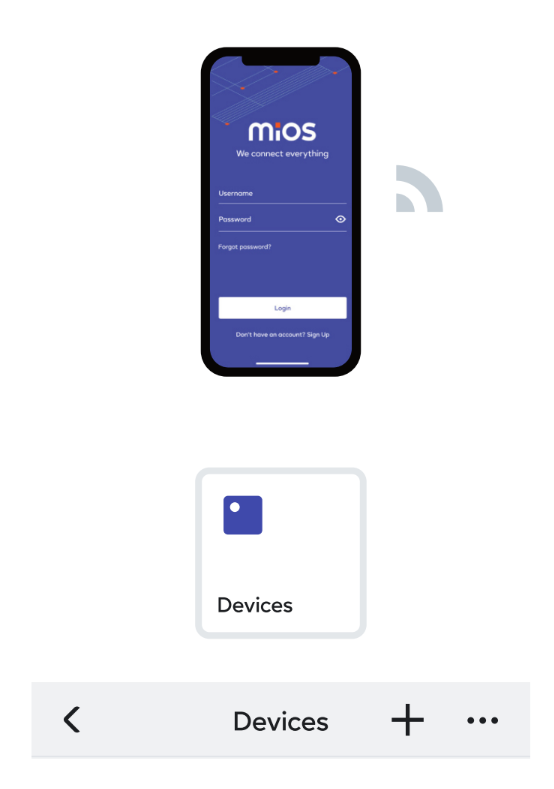
• Ensure your mobile device has Wi-Fi enabled and is connected to your local network.
• Open the MiOS app and log in if you haven’t already.
Step 2: Add a New Device
• Tap on “More” then navigate to the “Devices” section in the app.
• Tap on the “+” icon to add a new device.
• Select your “active hub” from the list of Controllers.
Step 3: Find the device
• Use the search box and look for CLZ-3374.
Step 4: Prepare the sensor
• Twist the back cover counterclockwise to remove it, then insert the CR2032 battery to power on the sensor.
Step 5: Pair the sensor
• Use the included pin to press and hold the sensor's reset button for five seconds to pair it with your controller. The LED will blink blue rapidly to indicate the sensor is in pairing mode.
Optional: If the sensor isn't detected in the next 60 seconds, click the ‘Retry’ button and begin the reset process.
Step 6: Confirm Pairing
• Wait for the MiOS app to detect the sensor.
• Once detected, confirm the pairing by following any additional prompts.
Step 7: Name and Place the Sensor
• Once paired, you can name your sensor and assign it to a specific room within the app.
• Remove the adhesive protective film from the back of the sensor and place it in a shaded environment out of direct sunlight and weather.
Step 8: Verify Sensor Functionality
Test the Sensor:
• After placing the sensor in a shaded environment out of direct sunlight and weather, wait for 5 minutes for the sensor to report the readings to the hub.
• Check the MiOS app to see if it reports the temperature and humidity of the environment it was placed in.
Congratulations! Your Centralite Temperature & Humidity Sensor is now paired with the MiOS app and ready for use. Enjoy enhanced security and monitoring for your home.
Are you having difficulties setting up your Centralite Temperature & Humidity Sensor? Our customer care is here to help: 866 966 2272, support@ezlo.com.
200 Broadacres Dr, Bloomfield, NJ 07003 866-966-2272 • ezlo.com or support@ezlo.com
Comments
0 comments
Please sign in to leave a comment.